~/posts/powerscan-network-recon-platform
PowerScan: AI-assisted network reconnaissance with risk scoring
- security
- network
- ai-ml
- python
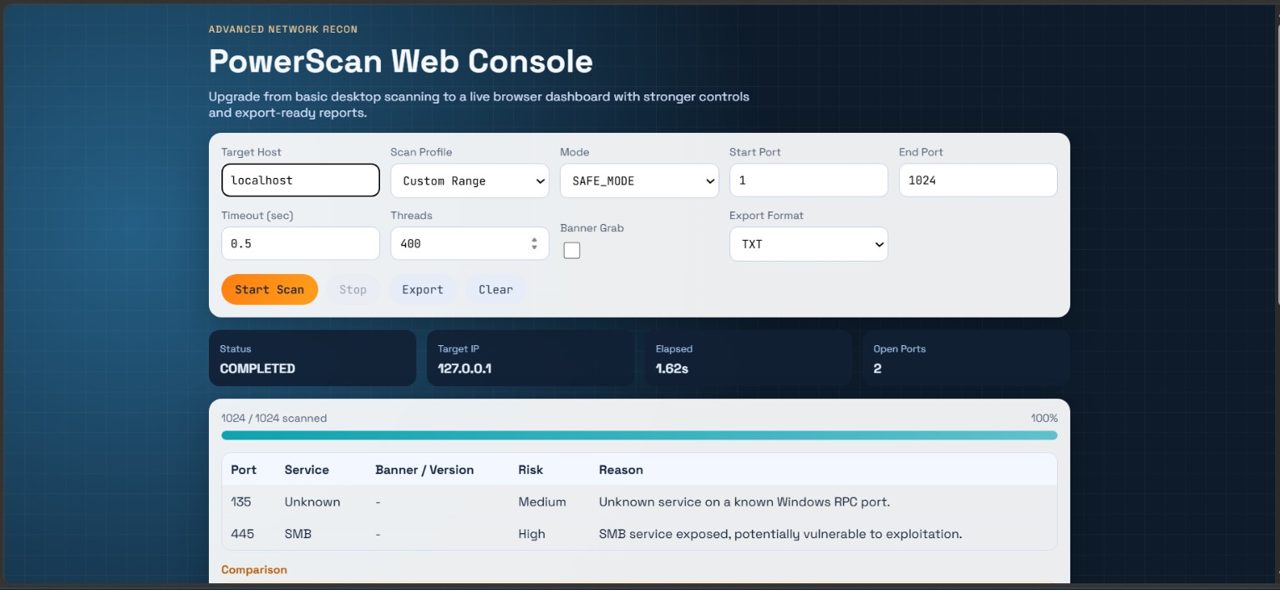
Most port scanners stop at the open port. PowerScan's premise is that the interesting part starts there: what is running, how risky is it, and what should you do about it — answered per port, with the reasoning attached.
Repo: github.com/SabarishR08/network-port-scanner
The PowerScan console — configure the scan, then get per-port risk verdicts with the reasoning attached.
What it does
- Multi-threaded TCP scanning with configurable timeouts and worker counts
- Service detection & banner probing — HTTP
GET /probes, SSH handshake/banner detection, and service/version normalization - AI risk analysis per open port — each result comes back as
Risk: Low/Medium/High | Reason: …, generated in a single batched request across all open ports (lower latency and cost than per-port calls) - Recommendations based on the exposed services
- History & comparison — scans persist to SQLite; reruns highlight newly opened and newly closed ports
- Exports — TXT, JSON, and PDF reports
The AI layer: fallbacks that never fail the scan
Risk analysis is chained so the scan always completes with a deterministic answer:
- Primary LLM API — contextual risk analysis
- Secondary LLM API — automatic fallback if the primary is unavailable or rate-limited
- Deterministic fallback — if both providers fail, a rule-based risk line is returned anyway
The UI shows which layer produced each verdict — primary model, fallback model, or deterministic rules — so a report reader knows which brain answered.
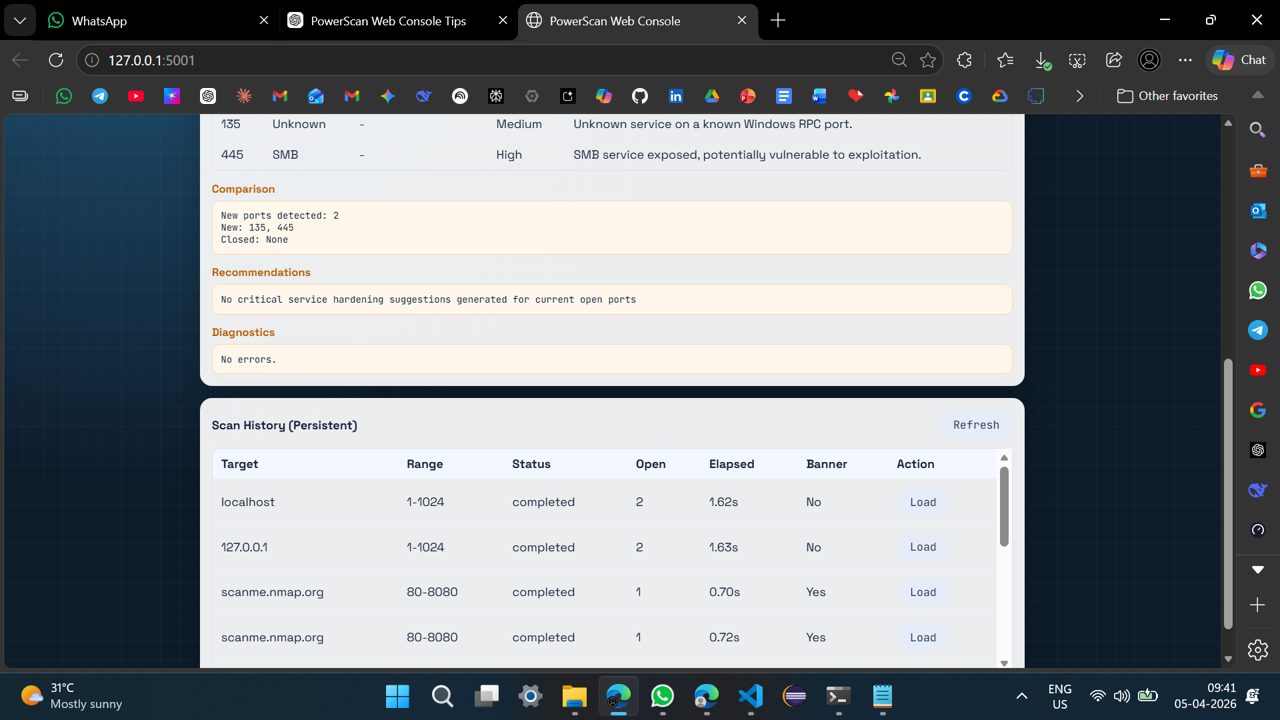
Behind the scenes — the Nuclei diagnostics stream and the host-monitoring table tracking every completed scan.
Scan profiles
quick_scan— top 100 portsfull_scan— all 65,535stealth_scan— lower thread count, higher timeoutweb_scan— 80, 443, 8080custom— arbitrary range
Safety built in
Recon tools get a bad name because of how they're aimed. PowerScan ships with
a SAFE_MODE that only permits 127.0.0.1, scanme.nmap.org, and private
ranges, with an ADVANCED_MODE opt-in for other targets — and every
public-range scan carries a warning flag. Target classification
(localhost/private/public) is surfaced in the UI before a scan runs.
Stack
Python 3.10+ · Flask · SQLite · LLM APIs with provider fallback · ReportLab (PDF export) · dashboard with live progress polling
Demo: drive.google.com/file/d/1rBTgc8jhbZKLUPBssW9r1uj6MsoodW-y