~/posts/learnix-labs-linux-devops-internship
Learnix Labs: four weeks of Linux & DevOps, from cron to resilient infra
- devops
- linux
- internships
- automation
- nginx
Most internships hand you an onboarding deck. Learnix Labs handed me a deadline: every Monday a task dropped, the build had to work by Friday, and the deliverable was graded on Saturday. Four weeks, three phases, a combined score out of 140 — certification at 70+, a Letter of Recommendation at 120+.
This is the Linux & DevOps track I ran from 11 June to 6 July 2026, and it was the first internship where every single submission was a working system, not a slide deck.
Week 1 — watch the machine, automatically
Phase one: write a shell script that logs CPU, memory, and disk usage to a
timestamped file, then make it run every 5 minutes via cron — with
crontab -l proof required as part of the submission.
The script (monitor.sh) leans on the classics:
#!/bin/bash

LOG_FILE="$HOME/learnixlabs/system_monitor.log"

TIMESTAMP=$(date "+%Y-%m-%d %H:%M:%S")

CPU=$(top -bn1 | grep "Cpu(s)" | awk '{print $2 + $4}')
MEM=$(free | awk '/Mem/ {printf("%.2f"), $3/$2 * 100}')
DISK=$(df -h / | awk 'NR==2 {print $5}')

echo "[$TIMESTAMP] CPU: ${CPU}% | MEM: ${MEM}% | DISK: ${DISK}" >> $LOG_FILE
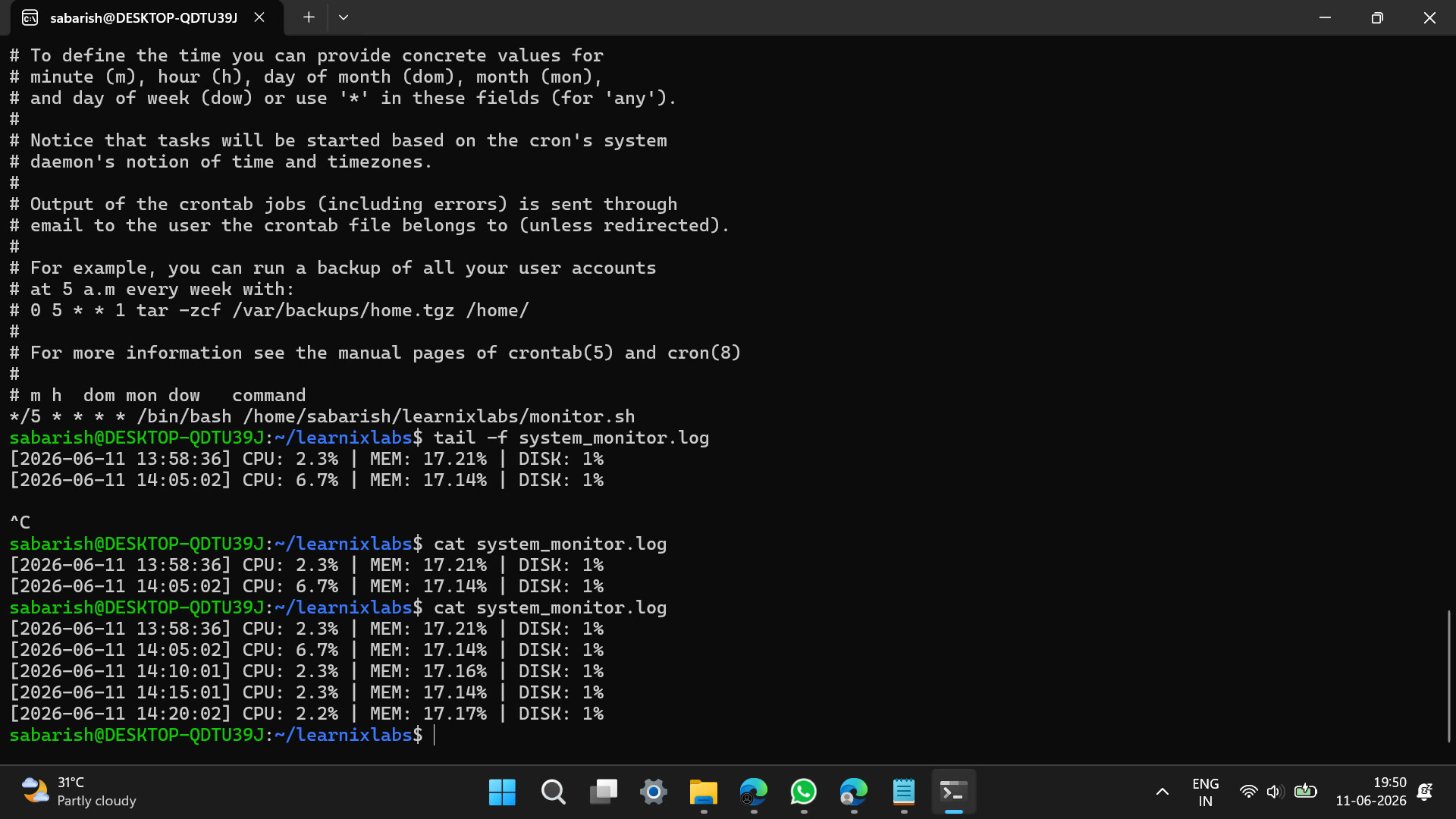
And the log it produced, on schedule, without me touching anything:
[2026-06-11 13:58:36] CPU: 2.3% | MEM: 17.21% | DISK: 1%
[2026-06-11 14:05:02] CPU: 6.7% | MEM: 17.14% | DISK: 1%
[2026-06-11 14:10:01] CPU: 2.3% | MEM: 17.16% | DISK: 1%
▶ Week 1 video walkthrough: Sabarish_R_Week1_Linux_DevOps_Submission.mp4
Lesson: cron plus one log file is the cheapest observability stack in
existence — and awk on top/free/df output teaches you more about
Linux than any dashboard.
Week 2 — a real service, behind a real proxy
Phase two moved from observing the box to serving from it:
- Run a sample application as a custom systemd service (own
.serviceunit, restart policies, journald logs — no forever-running terminal tabs) - Put Nginx in front of it as a reverse proxy
- Harden the server with UFW, restricting ingress to ports 80 and 22 only
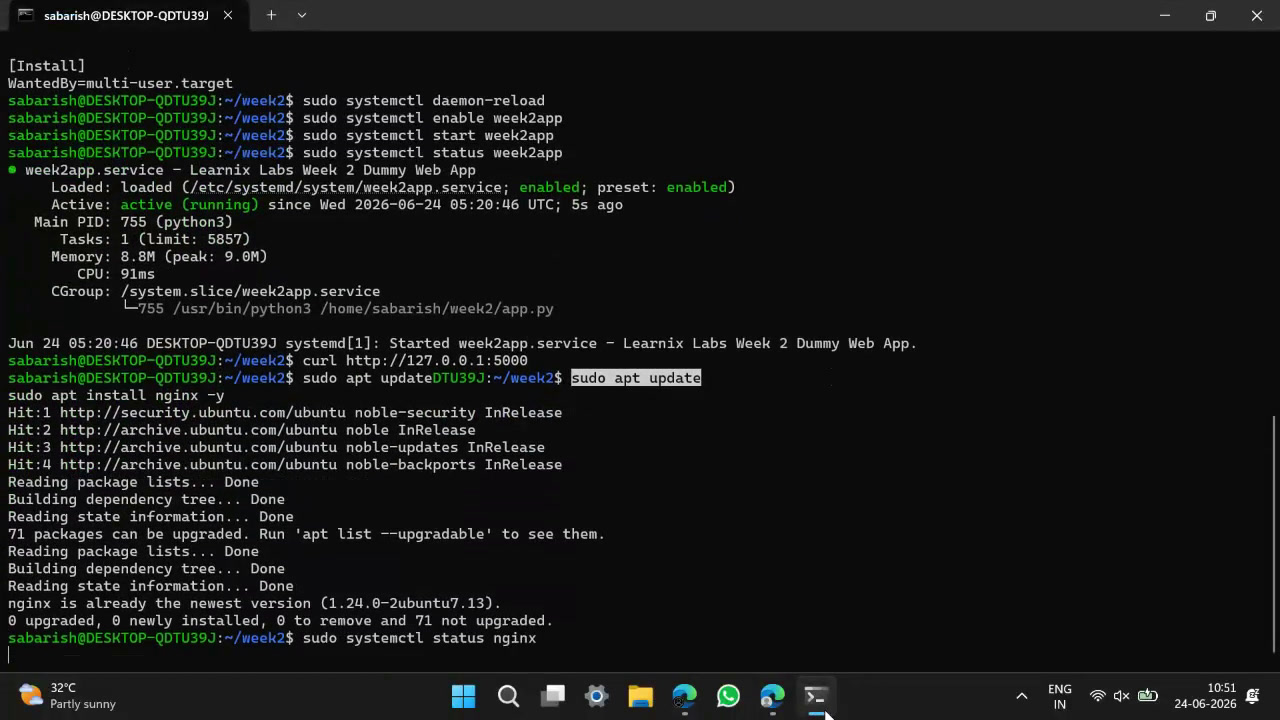
▶ Week 2 video walkthrough: learnixlabs week2.mp4
Lesson: systemd unit files turn "an app I started" into "a service the
machine owns" — and a reverse proxy plus a default-deny firewall is the
minimum bar for calling anything production-shaped.
Weeks 3–4 — infrastructure that survives me killing it
The core project: an automated infrastructure setup with:
- Scripted provisioning — the environment rebuilds from scripts, not memory
- Data persistence across restarts
- Centralized logging so state is debuggable from one place
- Resilience testing — deliberately terminating processes and proving recovery through the logs, recorded end to end
The phase deliverables were a public GitHub repository, an architecture README, and a video walkthrough of the failure-and-recovery scenario.
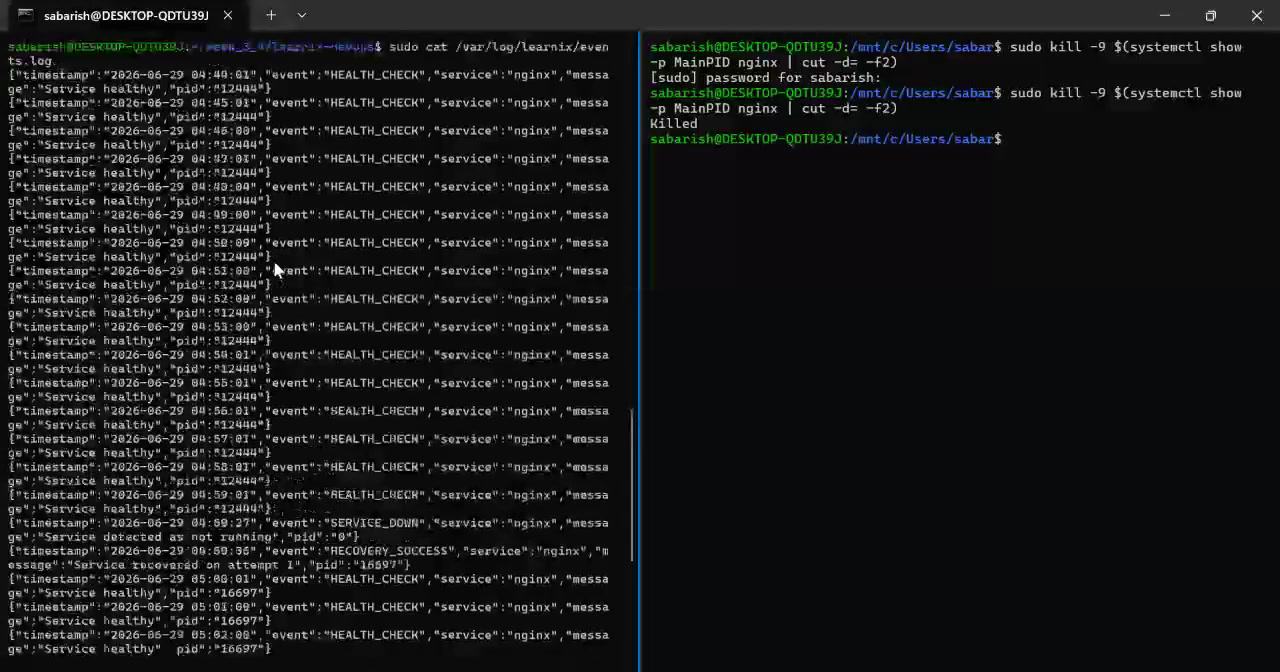
▶ Weeks 3–4 video walkthrough: week_3_4.mp4
Lesson: resilience isn't a feature you claim — it's a demo you record. Kill the process, watch it come back, and let the logs tell the story.
What I took away
- Automation beats memory: if provisioning isn't scripted, it isn't done
- Default-deny is the default: UFW closed everything, then opened exactly 80 and 22
- Logs are the interface between failure and recovery
- Weekly graded deadlines simulate real ops work better than any course
The program ended with certification (Certificate ID: #LX-2026-LDO-04, issued 14 July 2026) and a Featured Outstanding Intern recognition for the Summer 2026 July cohort — and a stack of habits I now use on every server I touch.